Why Choose Framer SVG Photo Frame Editor?
🎨 Best Photo Frame Color Changer App for Android
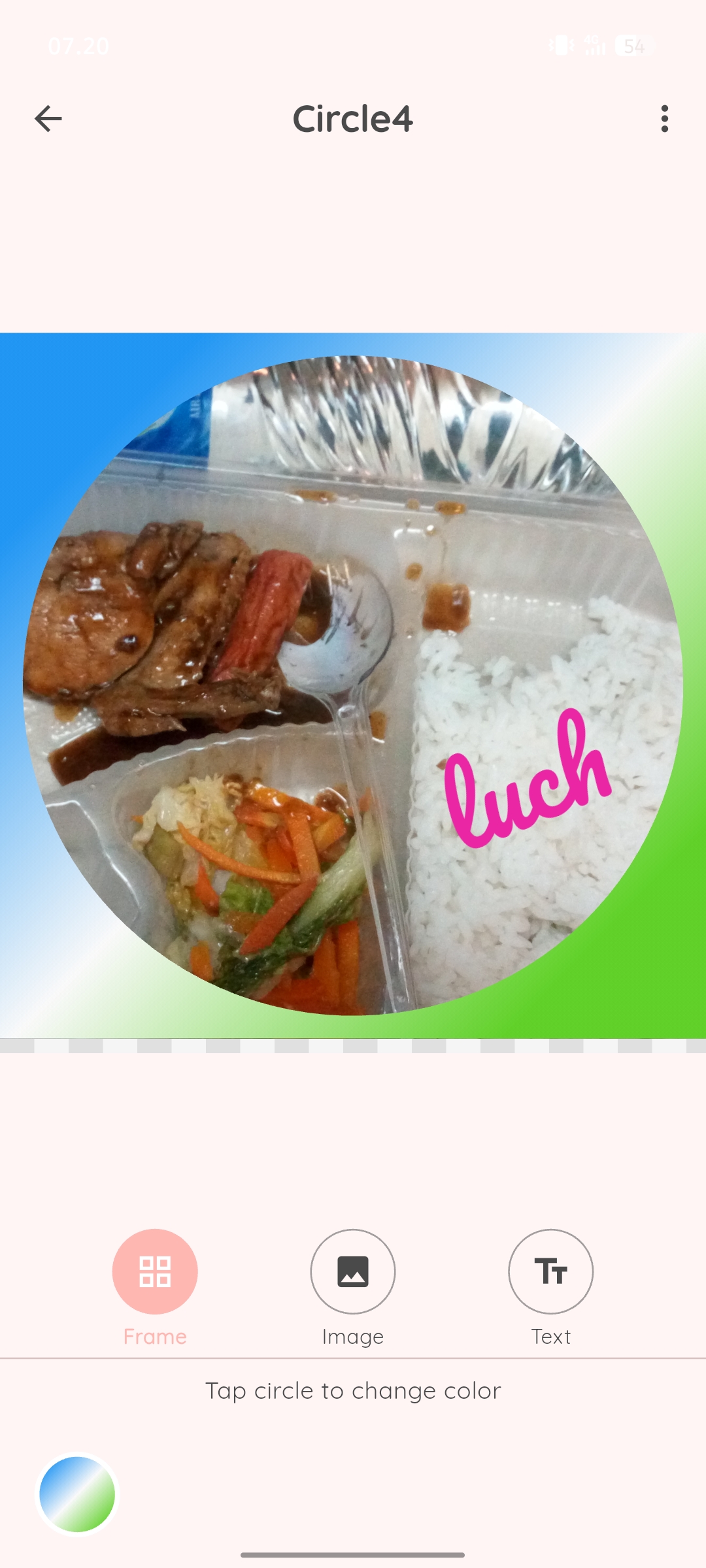
Looking for a photo frame color changer app that gives you complete creative control? Framer SVG is specifically designed for Android users who want to transform their photos with customizable frames. Unlike traditional photo editors that use raster images, our app utilizes SVG (Scalable Vector Graphics) technology, ensuring your frames remain crisp and clear at any resolution.
Whether you're creating content for Instagram, designing wedding invitations, or building a personal photo album, the ability to change picture frame colors gives you unlimited creative possibilities. Match your frames to your brand colors, event themes, or personal aesthetic preferences.
🖼️ Custom Photo Frame Maker with Advanced Features
Our custom photo frame maker goes beyond basic frame overlays. With Framer SVG, you get:
- Color Customization - Choose from millions of colors or create custom gradients
- Text Editor - Add names, dates, quotes, or captions with multiple font styles
- Layer Control - Adjust frame position, size, and opacity
Perfect for creating birthday cards, wedding announcements, business presentations, or personalized gifts. The intuitive interface makes professional-looking results accessible to everyone.
✍️ Picture Frame Editor with Professional Text Tools
Need to add names, dates, or captions to your framed photos? Our picture frame editor for Android includes a comprehensive text editor that rivals desktop software:
- Font Library - Choose fonts styles
- Text Styling - Adjust size, color, opacity, rotation
- Positioning - Place text anywhere on the frame with precision controls or drag-and-drop
Whether you're making a "Happy Birthday" photo card, adding wedding date to save-the-date images, or creating motivational quote posters, the text tools give you complete creative freedom.
🎯 Image Frame Changer App - Instant Transformations
Our image frame changer app is designed for speed and simplicity. The workflow is straightforward:
- Import Your Photo - Select any image from your Android gallery
- Choose a Frame - Browse templates or start with a blank frame
- Add Text (Optional) - Personalize with text using our font library
- Export in High-Res - Save to gallery and share to social media
The entire process takes less than 60 seconds for basic frames, yet you have the tools for hours of creative experimentation if desired.
🌟 Popular Use Cases for Framer SVG
- Social Media Content - Instagram posts, Stories, Facebook covers
- Event Invitations - Weddings, birthdays, baby showers
- Business Marketing - Product photos, promotional flyers
- Photo Gifts - Personalized prints, custom calendars
- Educational Projects - School presentations, teaching materials
- Memory Books - Family albums, travel journals
- Real Estate - Property listing photos with branded frames
- Restaurant Menus - Framed food photography
📸 Free Photo Frame Color Editor with Premium Features
Download and start using Framer SVG completely free! Our free photo frame color editor includes:
- 20+ frame templates
- Unlimited color customization
- 10 basic fonts
- High-resolution export (up to 4K)
- No watermarks on free version
💡 Why SVG Frames Are Superior to Regular Photo Frames
Understanding the technical advantage of SVG technology helps explain why Framer SVG produces better results:
| Feature |
Traditional Frames (PNG/JPG) |
SVG Frames (Framer SVG) |
| Scalability |
❌ Pixelated when enlarged |
✅ Perfect at any size |
| File Size |
⚠️ Large for high quality |
✅ Compact vector files |
| Color Editing |
❌ Limited to preset colors |
✅ Unlimited customization |
| Print Quality |
⚠️ Depends on resolution |
✅ Always crisp |
| Editing Speed |
❌ Slow rendering |
✅ Instant changes |
📱 Compatible with All Android Devices
Framer SVG works seamlessly across the entire Android ecosystem:
- Android Version - Optimized for Android 6.0 (Marshmallow) and above
- Phone Brands - Samsung, Google Pixel, OnePlus, Xiaomi, Oppo, Realme, and all major manufacturers
- Screen Sizes - Responsive design works perfectly on small phones to large tablets
- Performance - Efficient code ensures smooth operation even on budget devices
- Storage - Minimal app size (under 15MB) won't fill your device
🎨 Advanced Color Customization Techniques
Mastering color selection can elevate your photo frame designs. Here are pro tips:
- Color Harmony - Use complementary colors (opposite on color wheel) for vibrant contrast
- Analogous Colors - Choose colors next to each other on the wheel for subtle, elegant looks
- Monochromatic - Different shades of one color create sophisticated, cohesive designs
- Seasonal Themes - Pastels for spring, warm tones for autumn, cool blues for winter
- Photo Sampling - Pick colors from the photo itself for guaranteed coordination
🏆 What Makes Framer SVG the Best Android Photo Frame App
Compared to other photo frame apps on Google Play, Framer SVG stands out because:
- True Vector Quality - Not just "HD" or "high-resolution" - actual scalable vector graphics
- Real-Time Color Editing - See changes instantly, not after rendering
- Professional Export Options - Choose quality, format, and resolution
- No Forced Upgrades - Free version is genuinely useful, not just a trial
- Active Development - Regular updates with new templates and features
- Responsive Support - Quick help when you need it
- Privacy Focused - Your photos stay on your device
📖 Tips for Creating Professional-Looking Framed Photos
Composition Tips:
- Leave breathing room between photo edge and frame
- Ensure subject isn't cut off by frame design
- Use wider frames for portrait orientation photos
- Choose simpler frames for busy photos
Color Selection:
- Dark frames for light photos, light frames for dark photos
- Match frame color to a minor element in the photo for cohesion
- Use neutral frames (white, black, gray) for maximum versatility
Text Placement:
- Place text on empty areas of photo for readability
- Add semi-transparent background behind text if photo is busy
- Keep text short - 1-5 words works best
- Match text color to frame for unified design
Ready to Transform Your Photos?
Join thousands of Android users creating beautiful custom photo frames with Framer SVG!
Download Free on Google Play
⭐ Rated 4.8/5 by users • Free download • No credit card required